About Drop Block
Fall 2025
Project Date
Drop Block is a single-player arcade-puzzle & hyper-casual mobile game with the objective to collect as many matches per round before time runs out to achieve the highest overall score.
Loosely inspired by 90’s retro, Toy Story, and Candy Crush.
Project Description
Game System Designer, Programmer (AI Assisted), Technical Artist, UI & Graphic Designer
Project Roles
Brand Design
Concept Sketches
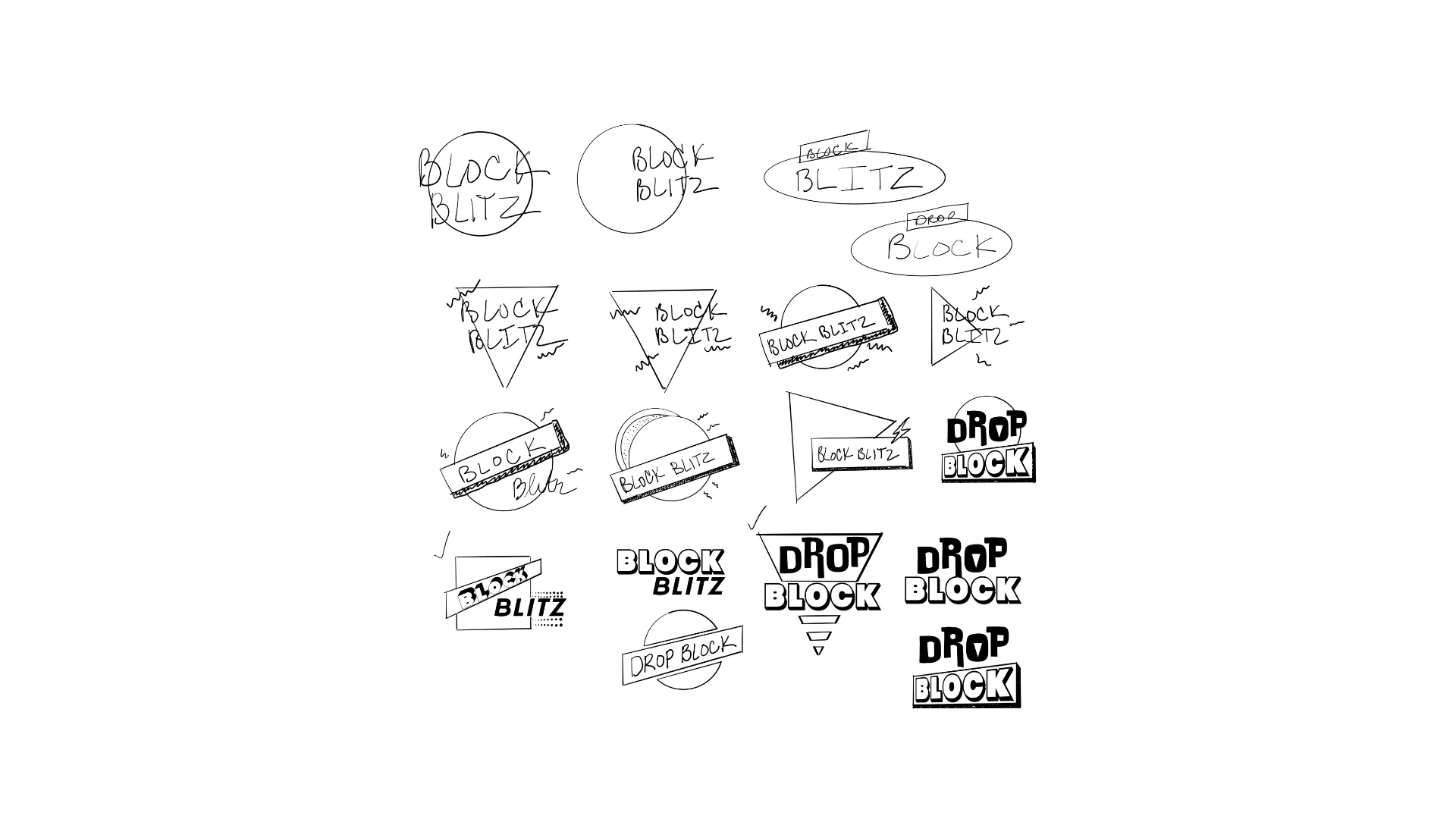
Using Adobe Fresco I drew up a few iterations of what I considered the core of Drop Block. After researching concepts and comparing numerous logos, I narrowed down the main aesthetics to the game and its gameplay.
Inspiration
90’s retro and arcade with a sense of motion
Implementation
Incorporated the 90’s blocky shapes & geometry along with downward motion to tie in core gameplay
Drop of Color
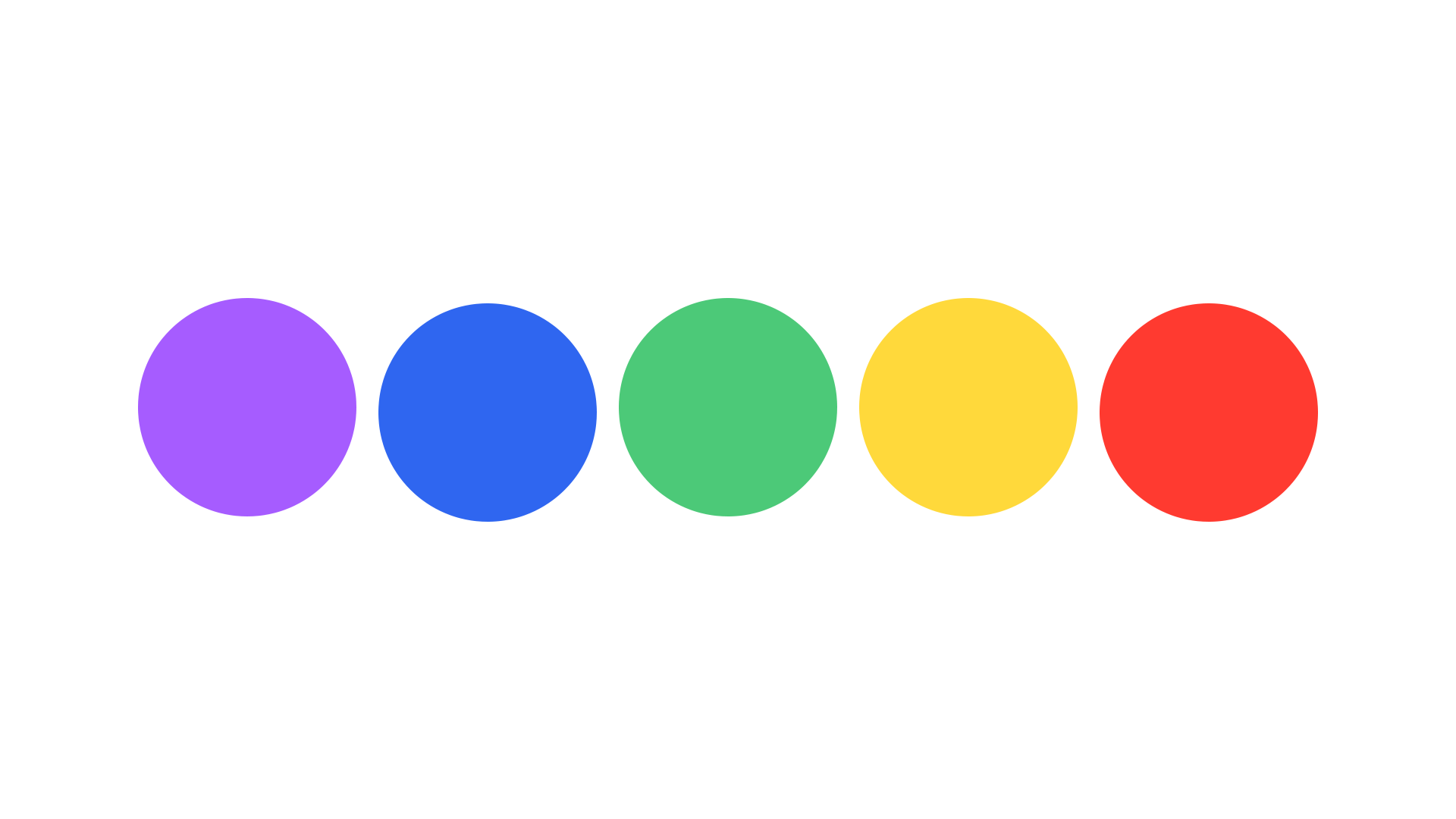
Mobile Games are bright and colorful - meant to grab a player’s attention and retain it. I wanted a color palette that was high-impact and instantly recognizable. I chose colors with high saturation and vibrant versatility. This palette is used to energize and differentiate components of the game experience. Perfect for referencing the 90’s.
Blue
#2F66F0
Yellow
#FFD93B
Purple
#A65CFF
Green
#4CC978
Red
#FF3A30
Feedback Iteration
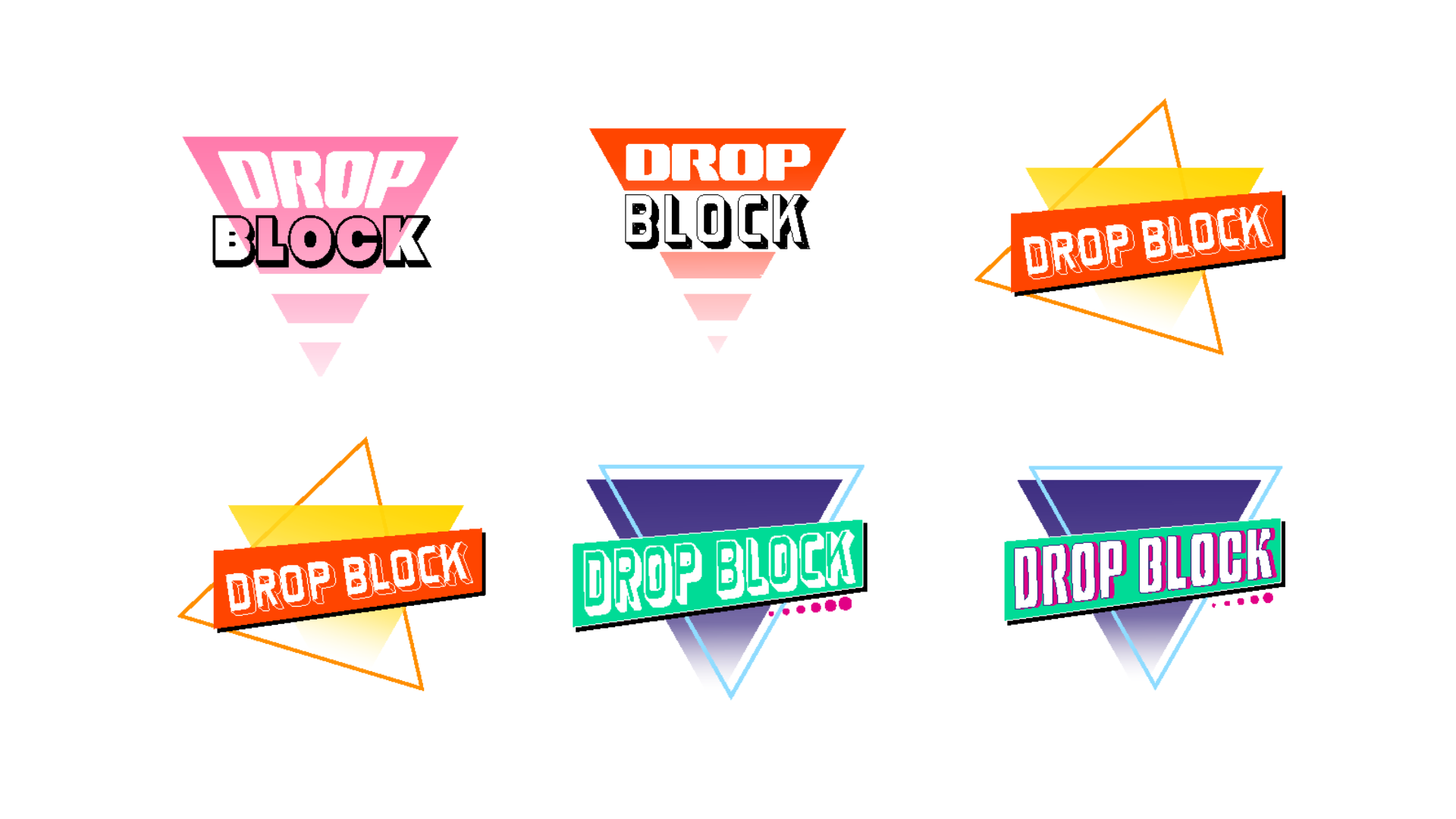
Using Adobe Illustrator I took the next step in the game’s logo design. After feedback iterations, I took the likes and dislikes from my colleagues to improve upon my concepts.
Keeps
Using a triangular shape pointing down provided a sense of motion and tied in core gameplay. The blocky component holding in the game’s title provided a prominent backing to highlight the name.
Improvements
Color was appreciated but not 90’s Toy Story enough (this will be changed in a later iteration). Stay true to the goal of a modern/simple logo and eliminate excessive extras.
Logo Direction
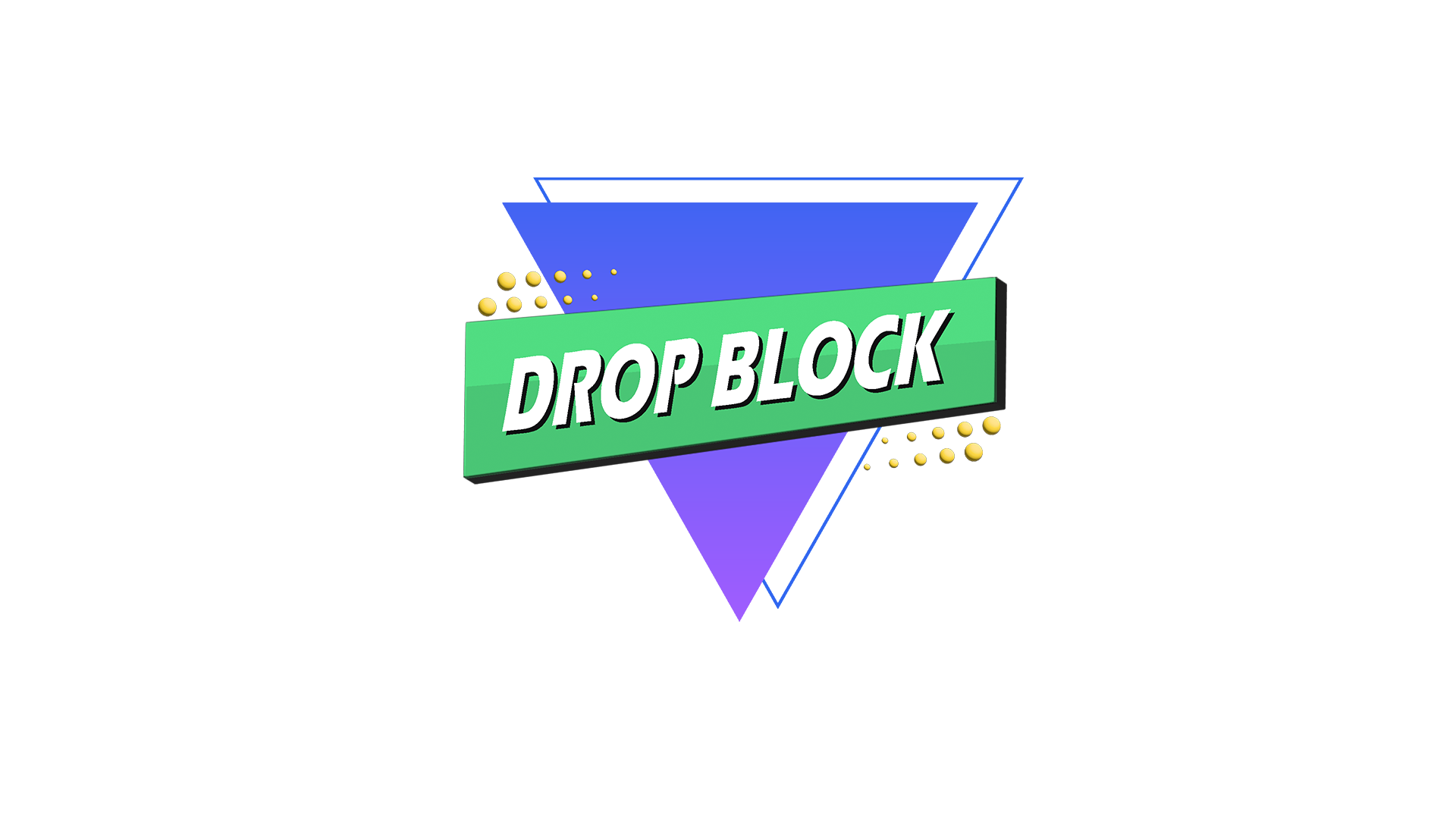
Using Adobe Illustrator I took another round of feedback and incorporated the latest colors of the game’s brand. 3D elements were added to the design as a nod to the game. The game’s title was reworked to improve legibility by selecting a new typeface, angle change, and color simplification of the drop shadow.
UI/UX Design
Wireframe
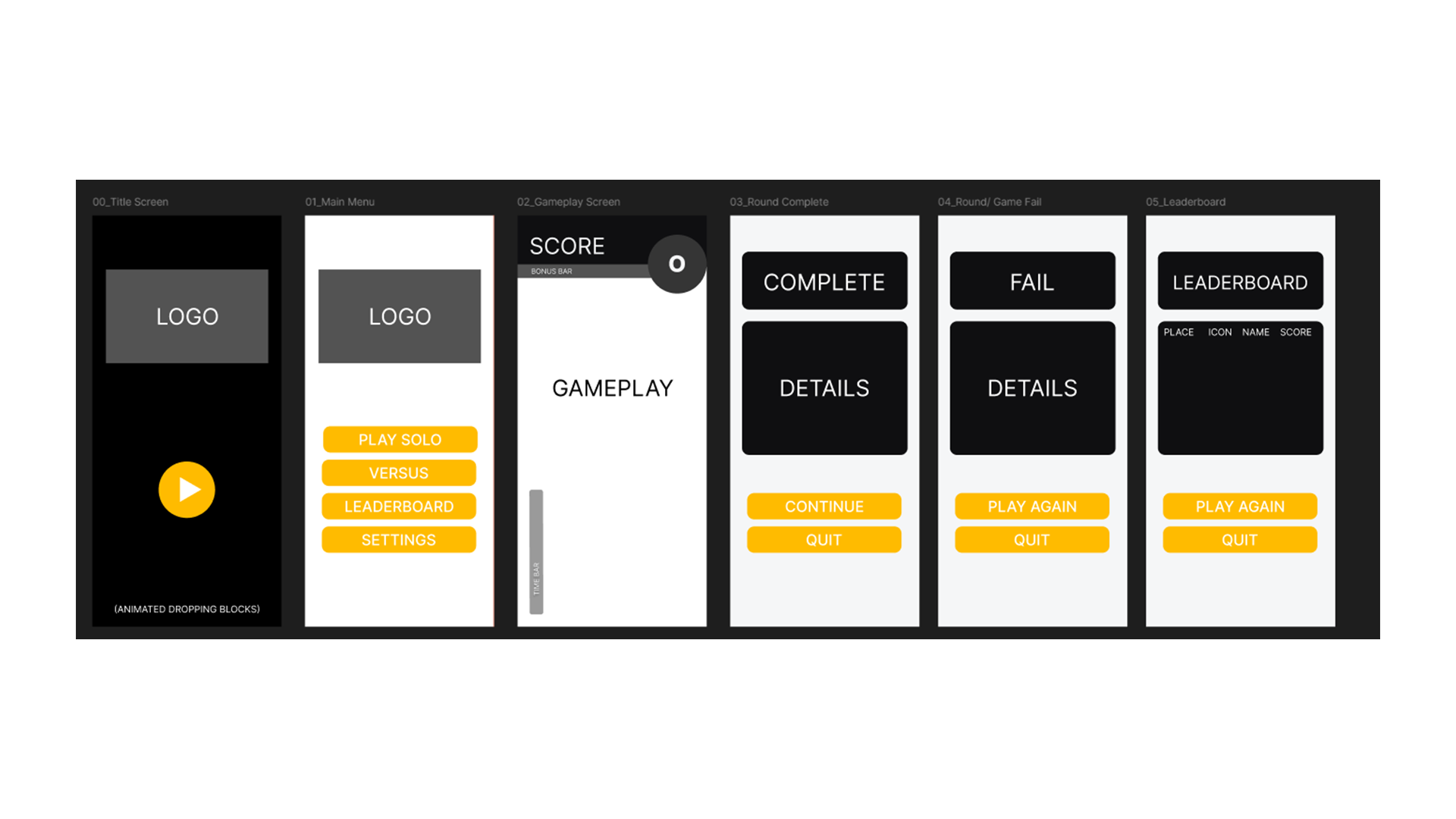
Using Figma I wanted to design a mobile game layout that was fresh, clean, and easy to navigate. I wanted to play off a “block” style in the design where each component had a place that made logical sense for user flow. Key elements are easy to find and glance at during gameplay - Score, Bonus Bar, Object Zone, and a Time Bar all frame the gameplay screen. Score elements are clustered together along with the Object Zone while the Time Bar is kept away and on its own for visual ease.
Mockup
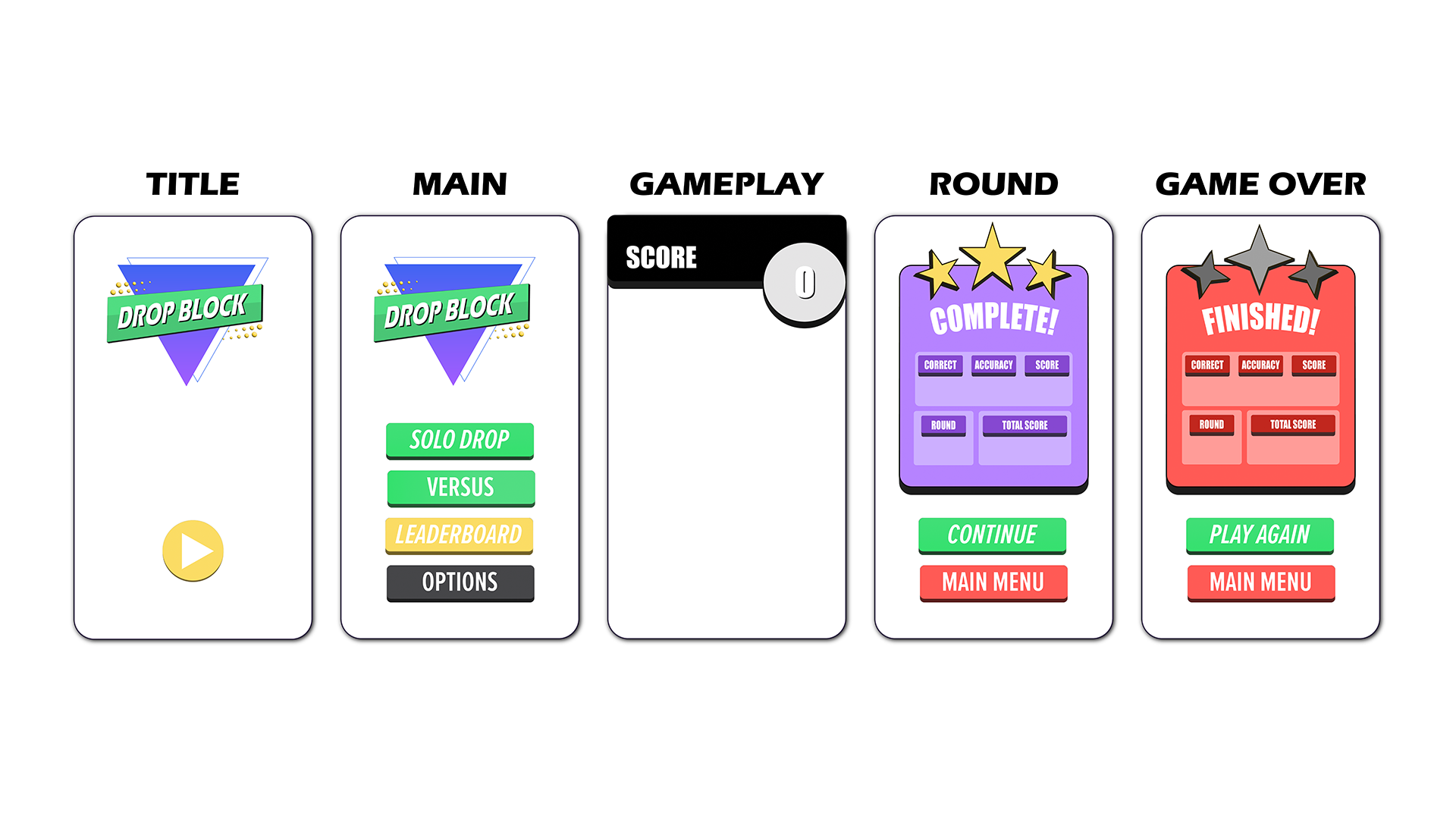
Using Adobe Illustrator I took the wireframe designs a step further by adding in the core colors of the game’s brand. This first prototype focused on color-pop all while the layout continued to be centered on simplicity. Color is used to provide visual feedback and draw the eyes to intended locations.
Using Unity I programmed (AI assisted) interactions of the UI such as the Main Menu and Round Screens. Buttons are prominent and colorful, again providing ease and feedback for the user’s gameplay.
Prototype
Drop Block allowed me to design and implement my first game UI. I learned a lot about user flow, colors, sizing, and spacing. I would say my biggest successes would be the logo design, color choices, and round screens. I look forward to improving skills in Adobe Illustrator as well as design for buttons, logos, and screens. I think my successes are wonderful, but certainly have room to iterate into better versions.